
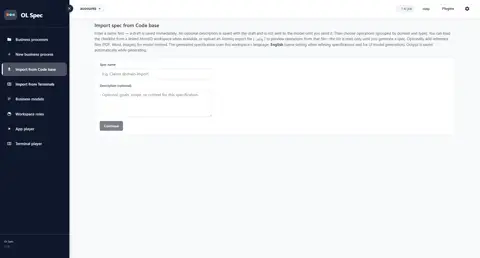
AtomIQ / Code Base Import
Build specifications by selecting AtomIQ operations live or from a `.atq` export, with streaming generation and optional reference-file context.
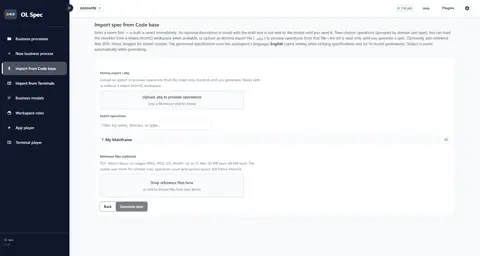
OL Spec imports operations discovered by OL AtomIQ (via a live workspace link or a .atq export file) and generates a business process specification from the selected set (/import-from-code-base).
Capabilities
Sources
- Live AtomIQ link: when the workspace has an AtomIQ workspace configured, operations load from the link
.atqupload: drag-and-drop or file picker; checklist shows operations from the file (read-only preview until generate)- Imports work without a live link when using
.atq
Selection & generation
- Enter Spec name (and optional description); a draft is created
- Select step: search and tick operations grouped by domain and process type (collapse/expand domains)
- Optional reference files (PDF, Word, images) as additional model context (same size limits as chat)
- Generate spec streams in real time; Cancel stops the run; output auto-saves as it streams
- Output language always matches the workspace Language setting
- Result step: open the business process or start a new import; refine open questions in the spec view if needed
Downstream snapshot
- A persisted AtomIQ snapshot is stored on the spec for hierarchy views and the API integration points wizard (no live AtomIQ call later)
Typical workflow
- Link AtomIQ on the workspace (or upload
.atq)